Mounting bracket compatible with Aruba 5xx access points
Afsluttet 23 mar. 10:02
31 DKK
34 DKK med køberbeskyttelse.
Annoncen er afsluttet uden køb
Købsanmodningen er desværre ikke tilgængelig.
Leveres indenfor EU
Ikke specificeretSælgeren har intet valgt angående fragt til det valgte land. Kontakt sælgeren for prisoplysninger.
Samlet fragt
1 dagAlle betalinger gennemgås af Tradera for din sikkerhed.





Direkte betaling
Køberbeskyttelse gælder alle betalingsmetoder

1/0
Beskrivelse
2-4 working days shipping with tracking. 0% VAT invoice and VAT refund available with valid EU VAT number.
Available quantity: more than 10, contact for custom multiple item listing. See below for more info:
Mounting bracket compatible with Aruba 5xx access points
The mounting bracket is compatible with access points from the Aruba 5xx series, including the Aruba AP-515.
It replaces the original Aruba type D or E mounting bracket.
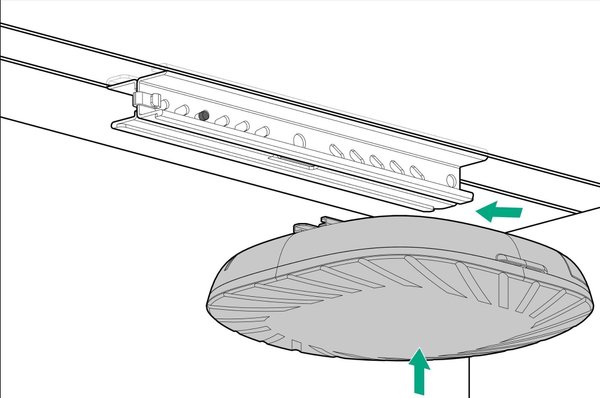
Prepared mounting holes allow the bracket to be attached to the installation surface, e.g., a ceiling.
The bracket is made of polyethylene terephthalate using Fused Deposition Modeling (FDM) technology.
The product complies with the applicable European Union regulations on product safety and the restriction of chemicals (REACH).
Installation instructions:
1. Attach the bracket to the installation surface using the prepared holes.
2. Pull back the security latch, then slide the access point with the installed mounting adapter (hardware included with the access point) into the bracket's rail.
3. The security latch will click into the locking hole, securing the access point in place.
4. Optionally, tighten the central locking screw.
Removal instructions:
1. Unscrew the central locking screw, if tightened.
2. Pull back the security latch and slide the access point out of the bracket's rail.
3. Dismount the bracket.
Safety Information:
- Installation should only be performed by a qualified professional in accordance with local building codes.
- The installer is responsible for ensuring that the mounting surface is capable of safely supporting the weight of the access point and bracket.
Available quantity: more than 10, contact for custom multiple item listing. See below for more info:
Mounting bracket compatible with Aruba 5xx access points
The mounting bracket is compatible with access points from the Aruba 5xx series, including the Aruba AP-515.
It replaces the original Aruba type D or E mounting bracket.
Prepared mounting holes allow the bracket to be attached to the installation surface, e.g., a ceiling.
The bracket is made of polyethylene terephthalate using Fused Deposition Modeling (FDM) technology.
The product complies with the applicable European Union regulations on product safety and the restriction of chemicals (REACH).
Installation instructions:
1. Attach the bracket to the installation surface using the prepared holes.
2. Pull back the security latch, then slide the access point with the installed mounting adapter (hardware included with the access point) into the bracket's rail.
3. The security latch will click into the locking hole, securing the access point in place.
4. Optionally, tighten the central locking screw.
Removal instructions:
1. Unscrew the central locking screw, if tightened.
2. Pull back the security latch and slide the access point out of the bracket's rail.
3. Dismount the bracket.
Safety Information:
- Installation should only be performed by a qualified professional in accordance with local building codes.
- The installer is responsible for ensuring that the mounting surface is capable of safely supporting the weight of the access point and bracket.
Køb mere og spar på fragten
Samlet fragt
1 dag Sluttid19 maj 21:07.Pris:262 DKK,Køb nu.
 Sluttid20 maj 20:40.Pris:518 DKK,Køb nu.
 Sluttid20 maj 20:42.Pris:1 035 DKK,Køb nu.
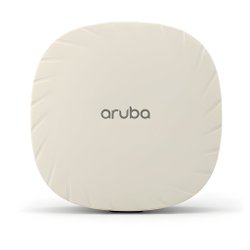 Sluttid20 maj 20:43.Pris:1 553 DKK,Køb nu.
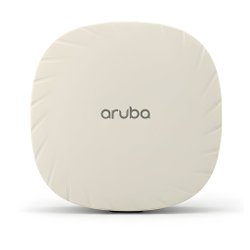 Sluttid20 maj 20:56.Pris:656 DKK,Køb nu.
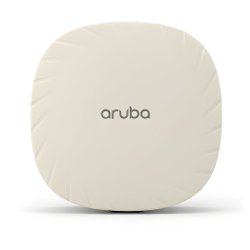 Sluttid20 maj 20:57.Pris:1 312 DKK,Køb nu.
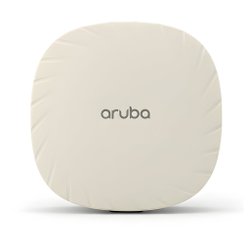 Sluttid20 maj 20:58.Pris:1 967 DKK,Køb nu.


Andre har også set på
Mere til dig
Pris:.
Pris:.
Pris:.
Pris:.
Pris:.
Pris:.
Pris:.
Pris:.
Pris:.
Pris:.
Pris:.
Pris:.